
Configure intake templates
Intake templates define the forms clients complete before or between visits. Customize templates for your practice and assign them to individual clients.
Before you start
- [ ] Company setup is complete
- [ ] You have permission to manage intake templates
- [ ] (Recommended) At least one client to assign forms to
Steps
1. Open intake template settings
Go to Settings → Intake Templates (/settings/intake-templates).
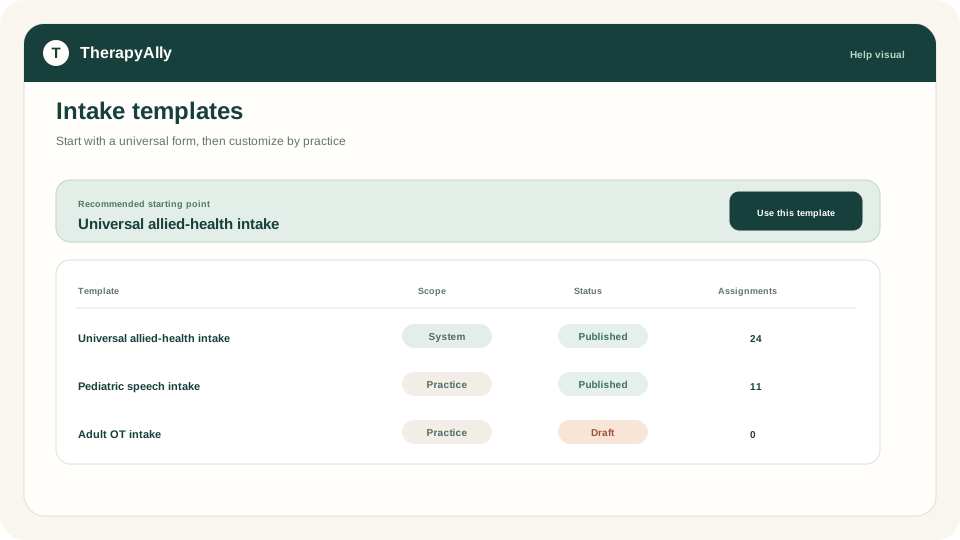
2. Review system templates
TherapyAlly includes system templates you can copy. Browse available templates and duplicate ones that match your workflow.
3. Create or customize a template
Create a new company-scoped template or edit a copy. Add blocks for demographics, consents, clinical history, and other sections your practice requires.
Publish a version when the template is ready for client use.
4. Assign to clients
From the template manager or client record, assign templates to clients. Clients complete assigned forms from Forms in their portal view.
5. Monitor completion
Track which clients have outstanding intake assignments before their first appointment. Completed forms attach to the client record for your team.
Best practices
- Assign intake before the first scheduled appointment
- Use clear section titles clients understand
- Review completed forms before the initial session
Troubleshooting
| Issue | What to do | | --- | --- | | Cannot access settings | Ask an admin for Manage intake templates permission | | Client does not see forms | Confirm assignment and that the client signed in to their account | | Template changes not visible | Publish a new template version after edits |